
If you are unable to log into your account, it may be due to:
- An incorrect password
- An expired session
- A temporary technical issue
In most cases, this can be resolved quickly.
How to fix it
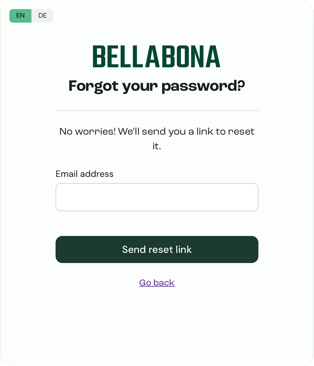
Option 1 - Reset your password
- Go to the login page:
https://ecom.bellabona.com/login - Click “Forgot password?”
Or go directly here:
https://ecom.bellabona.com/forgot-password - Enter your email address.
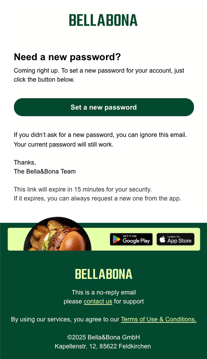
- Follow the instructions sent to your inbox.
If you do not receive the email, please check your spam folder.
Option 2 - Temporary password from support
In some cases, our tech team may generate a temporary password for you.
If you receive one:
- Log in using the temporary password.
- Go to your account settings.
- Set a new personal password immediately.
Still not working?
If you still cannot log in, please contact us:
📧 questions@bellabona.com
Please include:
- The email address linked to your account
- A screenshot of the error message (if visible)
Our team will assist you directly.